
Comprar Simplode Suite - Basic Power Management PC Key

Este conteúdo requer o jogo base: Simplode Suite

Onde comprar Simplode Suite - Basic Power Management ao melhor preço? Em 23 ago. 2026 este título tem uma oferta, 1,19 € na Steam. No PC é o caso habitual, porque só cerca de um título em cada quatro consegue oferta em keyshop e o resto fica na loja da plataforma. Não há nada a comparar, mas seguimos este preço todos os dias e mostramos como fica face às leituras anteriores, e um alerta de preço avisa-te de cada descida. É um conteúdo adicional, por isso também precisas do jogo base. No PC compras uma chave que ativas na Steam ou noutro cliente, e é aqui que o mercado é mais largo, com mais de um quarto dos jogos a ter oferta em keyshop.

Lançamento: 17 set. 2020
Keyshops
Indisponível
Comprar em Loja Oficial:
1,19 €
Comprar em Keyshops:
Ver histórico de preços

Lojas Oficiais (1)

DRM:
Steam
Steam
Steam
Simplode Suite - Basic Power Management
Windows
há 21sem
DRM:
Steam
Steam
1,19 €

Sobre Simplode Suite - Basic Power Management

Simplode Suite - Basic Power Management - sobre o jogo
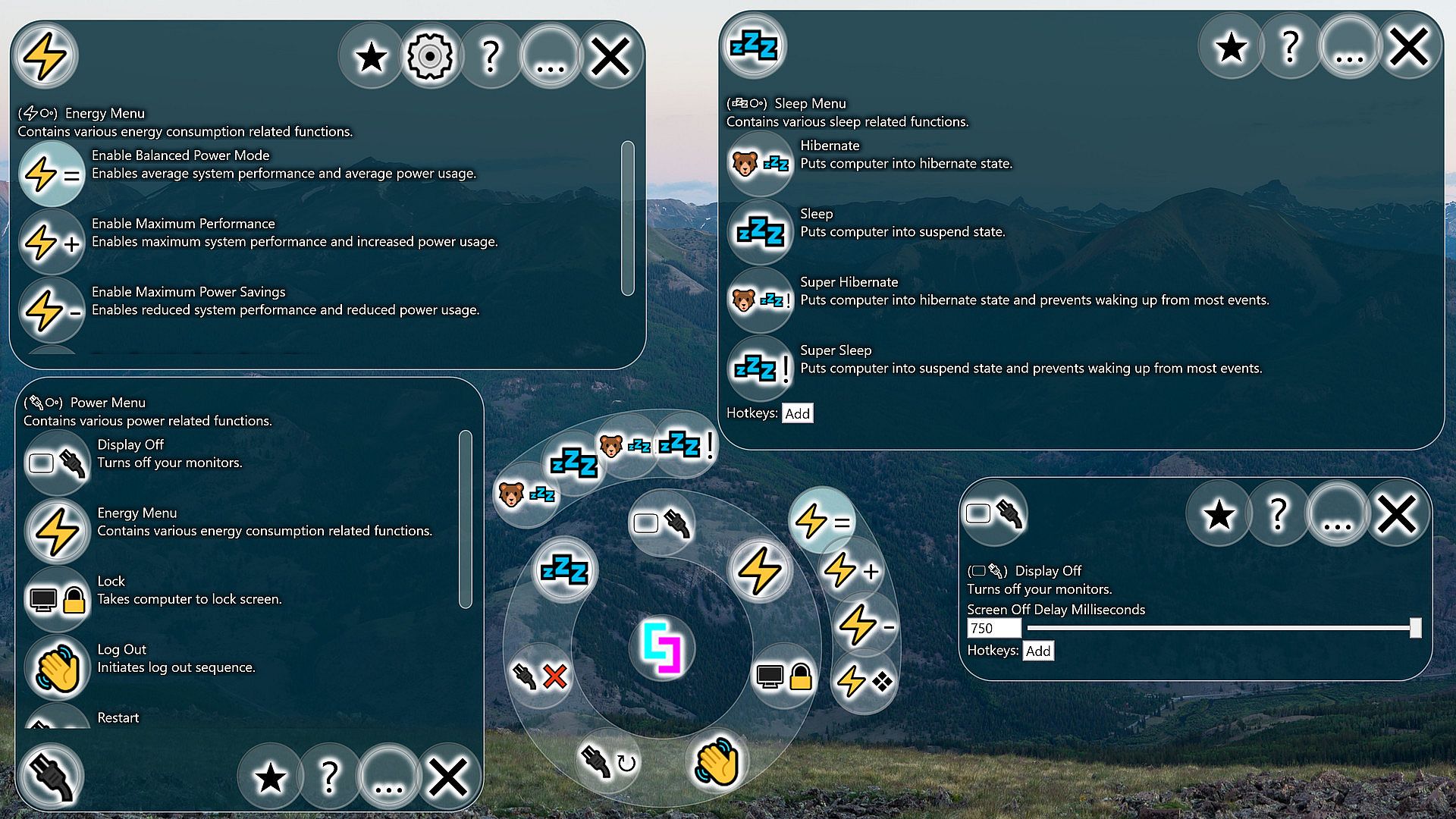
Basic Power Management provides easy access to basic power and session management features. It also includes some slightly more advanced features such as turning off your monitors or putting your computer to sleep or hibernate while ignoring many common wake triggers.
This product is available natively in English, but it has automated translations for most major languages.
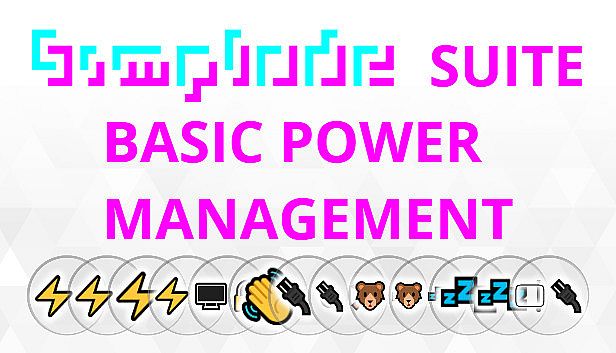
Contents: Enable Balanced Power Mode (⚡=), Enable Maximum Performance (⚡+), Enable Maximum Power Savings (⚡-), Open Operating System Energy Menu (⚡❖), Lock (), Log Out (), Restart (↻), Shut Down (❌), Hibernate (), Super Hibernate (!), Sleep (), Super Sleep (!), Display Off ()
Enable Balanced Power Mode (⚡=)
Enables average system performance and average power usage.

Settings:
  • Energy Balanced (Default: False)
    If enabled, sets your computer's energy setting to the default setting for balanced energy savings. Usually this setting will allow the processor to slow down and save energy during low load, but also reach max speed during high load. This power setting will likely have other side effects, such as changing sleep settings and monitor timeout settings, which you can check out in the operating system's energy menu.
  • Lock Energy Setting (Default: False)
    On my computer and possibly yours also, some program or operating system service keeps switching my energy settings against my wishes. This setting will switch it back automatically.
Enable Maximum Performance (⚡+)
Enables maximum system performance and increased power usage.

Settings:
  • Energy Performance (Default: False)
    If enabled, sets your computer's energy setting to the default setting for maximum performance. Usually this setting will suggest that the processor run at 100% speed all of the time. In my experience, it will still use reduced energy under reduced loads, but is very aggressive at anticipating load to avoid noticeable speed reductions. This power setting will likely have other side effects, such as changing sleep settings and monitor timeout settings, which you can check out in the operating system's energy menu.
  • Lock Energy Setting (Default: False)
    On my computer and possibly yours also, some program or operating system service keeps switching my energy settings against my wishes. This setting will switch it back automatically.
Enable Maximum Power Savings (⚡-)
Enables reduced system performance and reduced power usage.

Settings:
  • Energy Max Savings (Default: False)
    If enabled, sets your computer's energy setting to the default setting for maximum energy savings. Usually this setting will limit the maximum speed of the processor, so your computer should feel slower while this is enabled. On the upside, it can increase battery life, reduce energy costs, and put less stress on the processor. Also, some computers have inadequate cooling solutions for their processors, which may result in thermal throttling. Preemptively slowing down the processor can avoid this and actually feel smoother. This power setting will likely have other side effects, such as changing sleep settings and monitor timeout settings, which you can check out in the operating system's energy menu.
  • Lock Energy Setting (Default: False)
    On my computer and possibly yours also, some program or operating system service keeps switching my energy settings against my wishes. This setting will switch it back automatically.
Open Operating System Energy Menu (⚡❖)
Opens the operating system's energy menu.
Lock ()
Takes computer to lock screen.
Log Out ()
Initiates log out sequence.
Restart (↻)
Initiates system restart while indicating that open applications should reopen afterwards.

Settings:
  • Attempt to Restart Apps (Default: False)
    The operating system has rudimentary support for restarting apps during a reboot. If enabled, restarting through the tool will use this method.
Shut Down (❌)
Initiates system shut down.

Settings:
  • Hybrid Shut Down (Default: True)
    If enabled when using the tool to shut down your system, the system will do extra work to speed up the next system start time. If disabled, the shutdown speed may be improved and the next start up may be slower.
Hibernate ()
Puts computer into hibernate state.
Super Hibernate (!)
Puts computer into hibernate state and prevents waking up from most events.

Settings:
  • Super Hibernate Modify All Power Schemes (Default: True)
    If enabled, Super Hibernate will overwrite the wake timers setting in every power scheme to disable all wake timers just before activating and then reenable them after.
Sleep ()
Puts computer into suspend state.
Super Sleep (!)
Puts computer into suspend state and prevents waking up from most events.
  • After being woken up in the middle of the night many times by the hum of my computer's fans, this feature became a must have. Unfortunately, it can still wake up from some things anyways.
Settings:
  • Super Sleep Modify All Power Schemes (Default: True)
    If enabled, Super Sleep will overwrite the wake timers setting in every power scheme to disable all wake timers just before activating and then reenable them after.
Display Off ()
Turns off your monitors.

Settings:
  • Screen Off Delay Milliseconds (Default: 750)
    Keyboard presses and mouse movements can cause the screen to turn back on. This delay allows you to trigger the Screen Off function and then clear your hands before the monitors will go off.
Interface:
ArabicBulgarianCzechDanishGermanGreekEnglishSpanish - SpainSpanish - Latin AmericaFinnishFrenchHungarianItalianJapaneseKoreanDutchNorwegianPolishPortuguese - PortugalPortuguese - BrazilRomanianRussianSwedishThaiTurkishUkrainianVietnameseSimplified ChineseTraditional Chinese

Mínimo:

  • SO: Windows 10
Mínimo histórico
Histórico de preços das lojas oficiais
0,71 €
Steam
há 1 anos
Histórico de preços dos keyshops
-
-
-
Junte-se ao nosso Discord
Obtenha ajuda instantânea da nossa comunidade e mantenha-se atualizado sobre as últimas ofertas
Definir Alertas de Preço
Seja notificado por email quando os preços dos jogos baixarem para o seu objetivo
Criar Conta Gratuita
Desbloqueie listas de desejos, alertas de preço e sincronização Steam

FAQ

8 perguntas

Antes de procurar uma chave PC barata de Simplode Suite - Basic Power Management, confira o essencial. Desenvolvido por Simplode LLC. Publicado por Simplode LLC. Data de lançamento PC: 17 set. 2020. Géneros: Casual, Utilities. Categorias: Downloadable Content.

Q

Onde comprar uma chave Steam ou CD Key barata de Simplode Suite - Basic Power Management?

Usando o nosso comparador de preços e códigos de desconto verificados, pode comprar uma chave de Simplode Suite - Basic Power Management por apenas 1,19 €. Esta oferta está disponível na Steam e é uma das mais baratas do mercado. Todas as chaves listadas no XD.deals são entregues digitalmente e disponíveis para download imediato após o pagamento. Os preços já incluem taxas de processamento e códigos promocionais aplicados, para que veja sempre o preço mais baixo de Simplode Suite - Basic Power Management no PC. Consulte o histórico de preços de Simplode Suite - Basic Power Management para comprar no melhor momento.

De acordo com a nossa última atualização (atualizamos os preços do Steam várias vezes ao dia), o preço de Simplode Suite - Basic Power Management no Steam é 1,19 €. Pode poupar cerca de 6% extra pagando com um cartão presente Steam com desconto.

O nosso rastreador de preços abrange tanto lojas oficiais como keyshops, para que possa encontrar Simplode Suite - Basic Power Management em promoção mesmo fora das campanhas sazonais. Detetamos atualmente 1 oferta ativa de lojas oficiais e keyshops. Consulte a tabela acima, compare com o mínimo histórico e defina um alerta para nunca perder a próxima descida de preço.

Com base nos nossos dados, Simplode Suite - Basic Power Management não está atualmente disponível no GeForce NOW. Precisará de o executar localmente no seu PC. Consulte os jogos disponíveis no GeForce NOW.

Sim. Simplode Suite - Basic Power Management tem uma página oficial no Steam. Também pode comprar uma chave Steam de Simplode Suite - Basic Power Management em vendedores terceiros. O nosso comparador inclui atualmente 1 oferta com DRM Steam. Escolha uma para garantir que o download de Simplode Suite - Basic Power Management acontece na plataforma da Valve.

Não neste momento. A Valve marca Simplode Suite - Basic Power Management como Não Suportado no Steam Deck. Fique atento ao XD.deals - acompanhamos atualizações do Proton e correções da comunidade. Consulte os jogos Steam Deck Verified ou Steam Deck Playable.

Segundo os nossos dados, Simplode Suite - Basic Power Management não está atualmente disponível no PC Game Pass, EA Play nem Ubisoft+. Ainda estamos a completar os catálogos destes serviços, por isso compensa confirmar o estado na fonte antes de decidir. Se vais comprar, o XD.deals ajuda a encontrar o preço mais baixo.

Não - o XD.deals não é uma loja. Somos um serviço de comparação de preços que acompanha as melhores ofertas de Simplode Suite - Basic Power Management em lojas oficiais e keyshops verificadas. Clique em "Ir para a loja" junto a qualquer oferta e será redirecionado para o site do vendedor para concluir a compra.

Melhores preços para Simplode Suite - Basic Power Management

1 Steam Steam Official
1,19 €

Quer comprar no melhor momento? Defina um alerta de preço no XD.deals e seja notificado quando Simplode Suite - Basic Power Management atingir o seu próximo mínimo histórico.

Criar Alerta